Teams Meetings
This guide explains how to allow Playground to access your Microsoft Teams meeting transcripts through the Microsoft Graph API. This procedure should only be performed by your company’s Teams Administrator or Global Administrator.
Note
Playground only reads the transcripts of meetings the signed-in user organized or was invited to, whether private or channel meetings. Recordings are never accessed.
Enable Graph API access to transcripts
Access Teams admin center
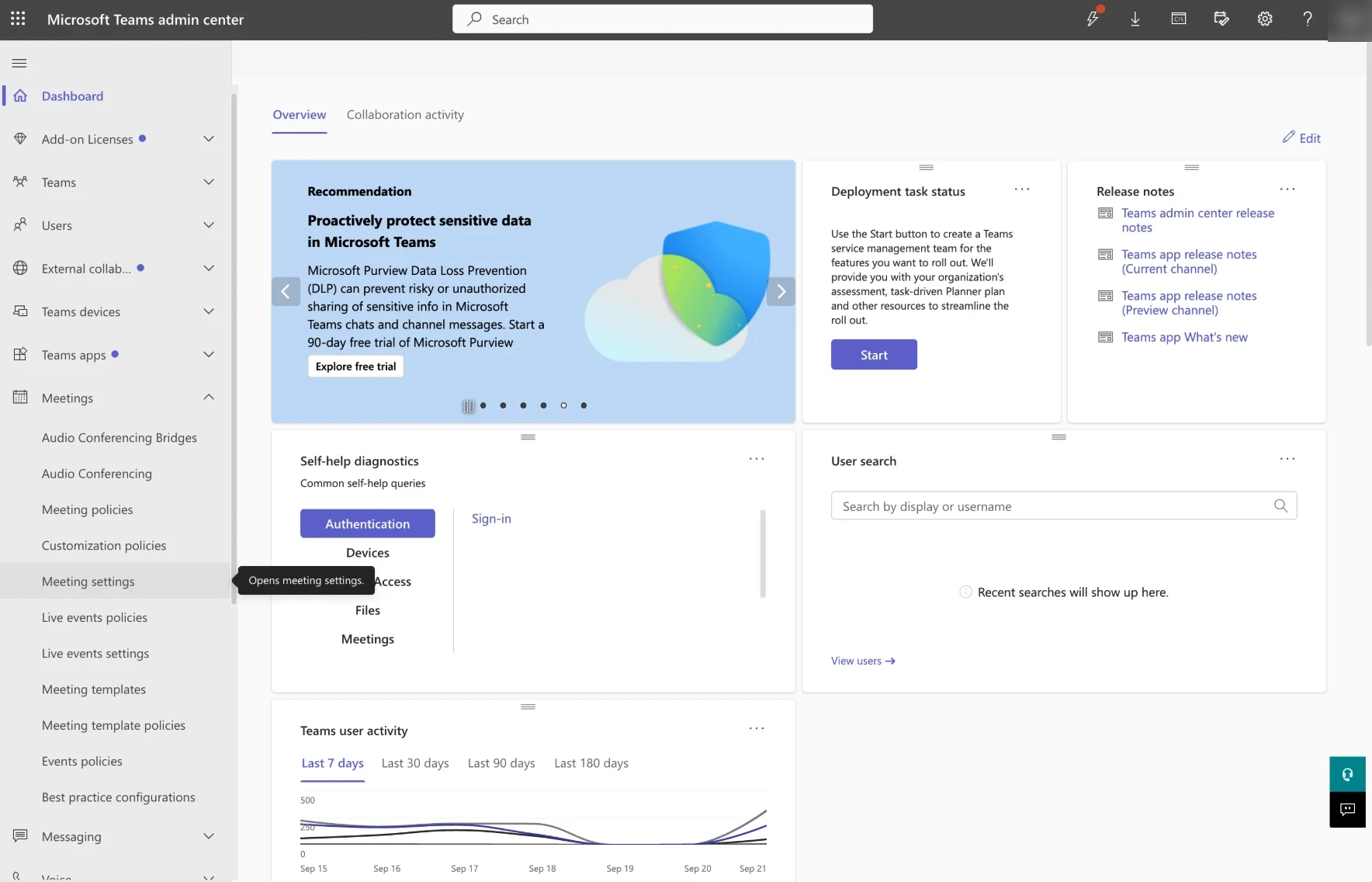
Go to the Microsoft Teams admin center
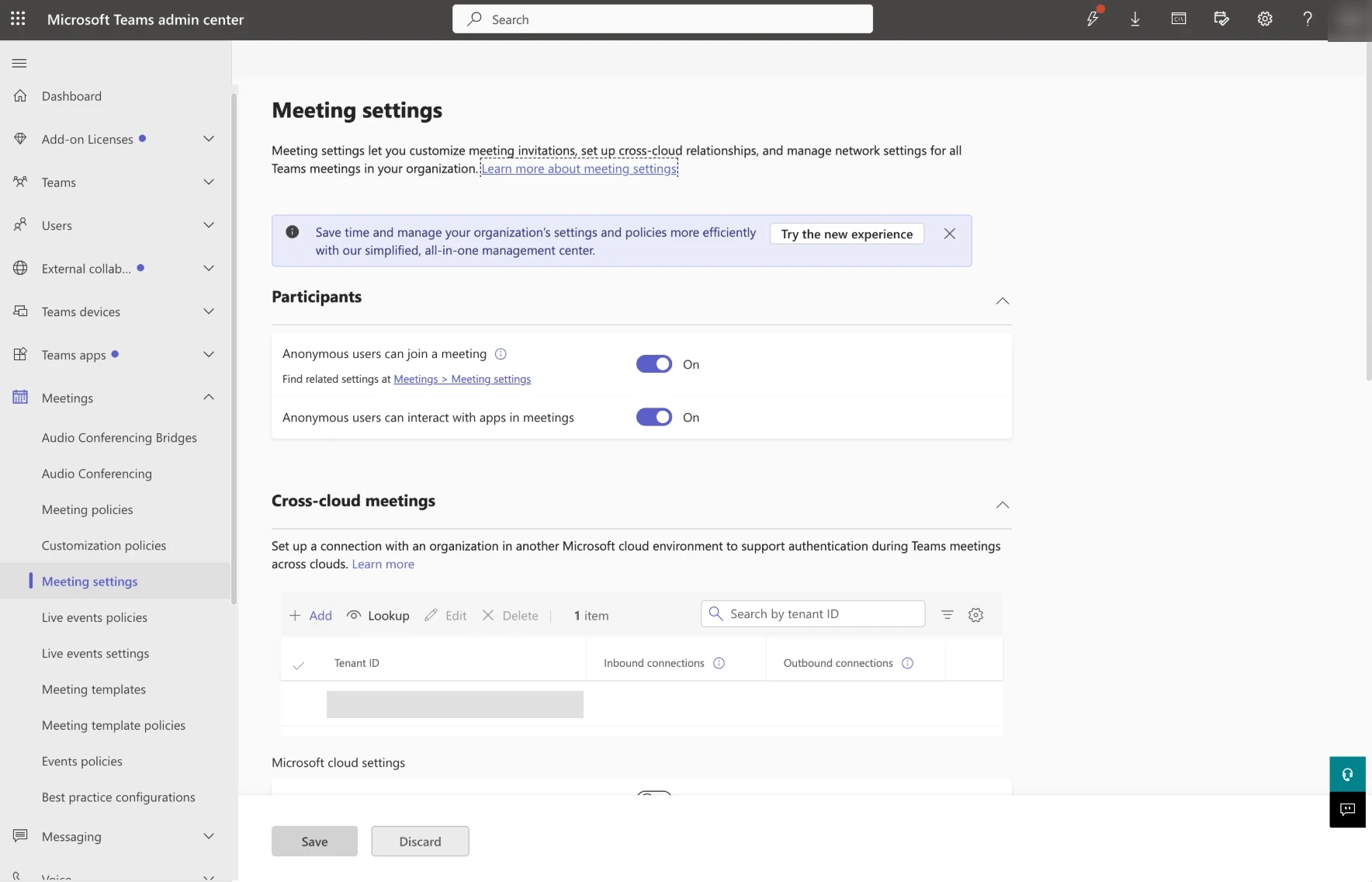
- In the left menu, expand Meetings
- Select Meeting settings
Turn on Microsoft Graph access
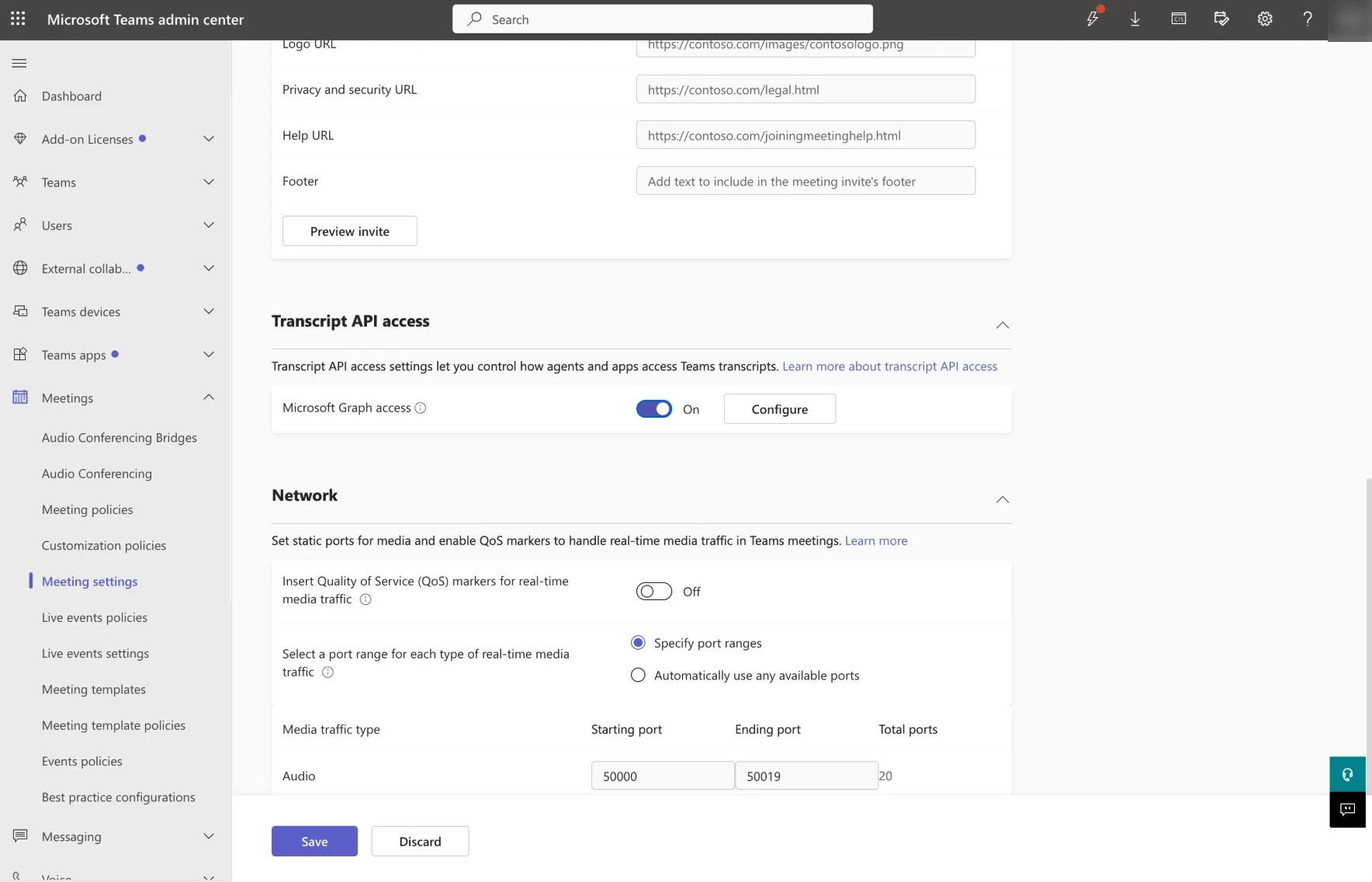
Scroll down to the Transcript API access section and set Microsoft Graph access to On.
Configure speaker attribution
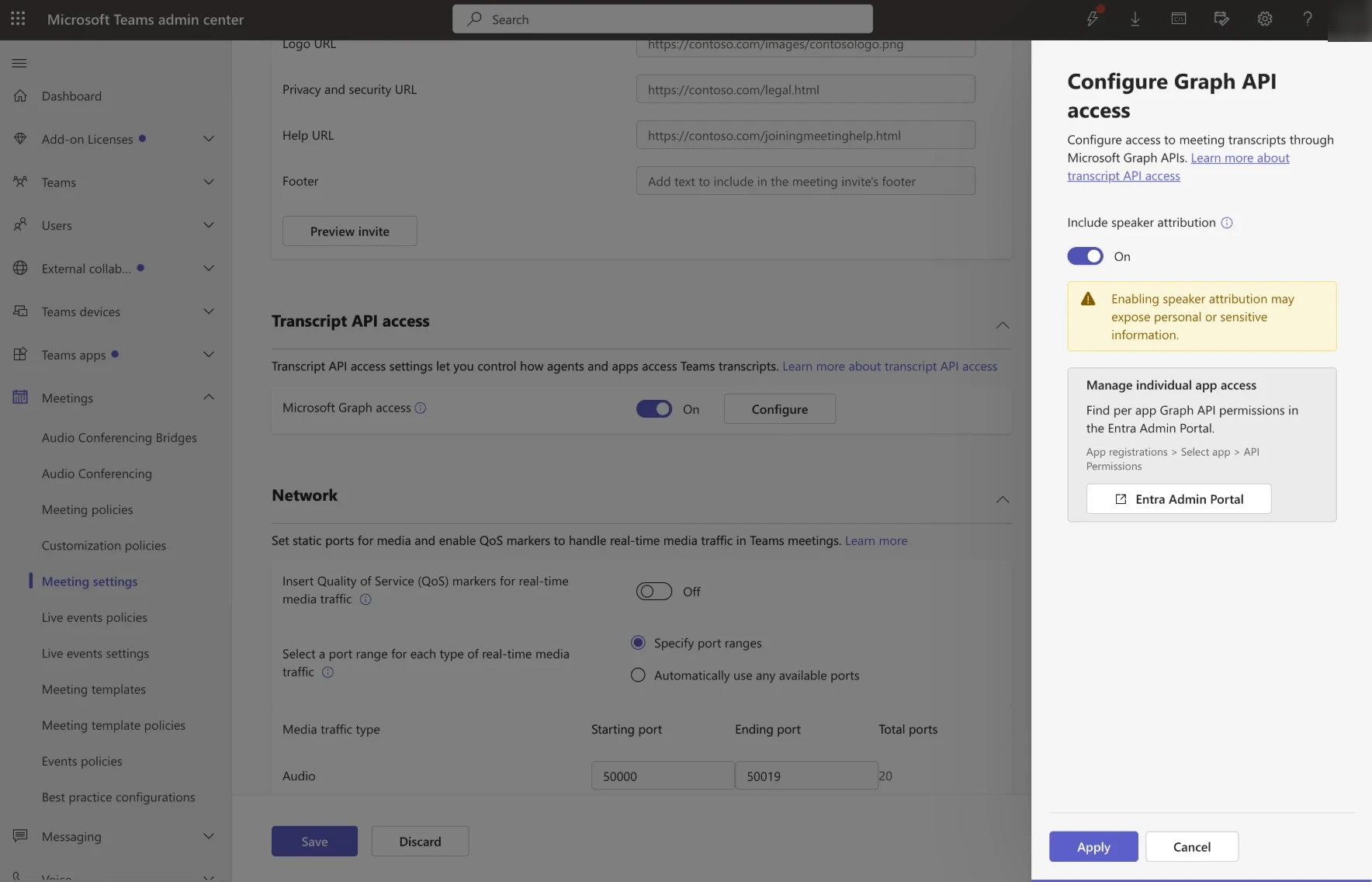
- Click Configure
- Set Include speaker attribution to On
- Click Apply
Tip
Speaker attribution is optional. When it is turned off, Playground still reads the transcripts, but without the speakers’ names.
Save the changes
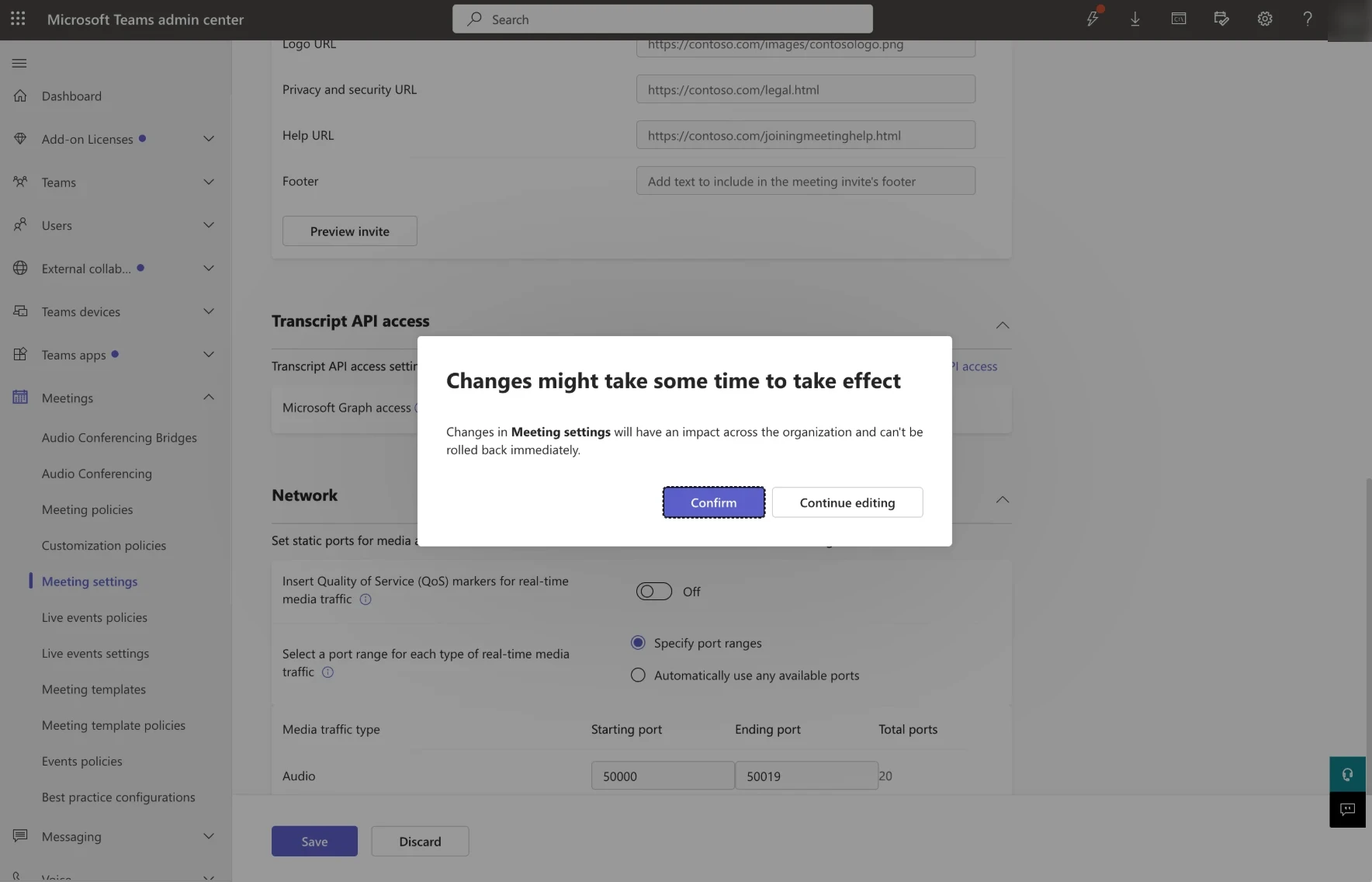
Click Save, then Confirm.
Warning
Changes in meeting settings apply to the whole organization and might take some time to take effect.
Support
For any assistance or support needs, contact the Elqano Team